

Basket & portafilter
Remove grounds and hand-wash the coffee-contact parts.
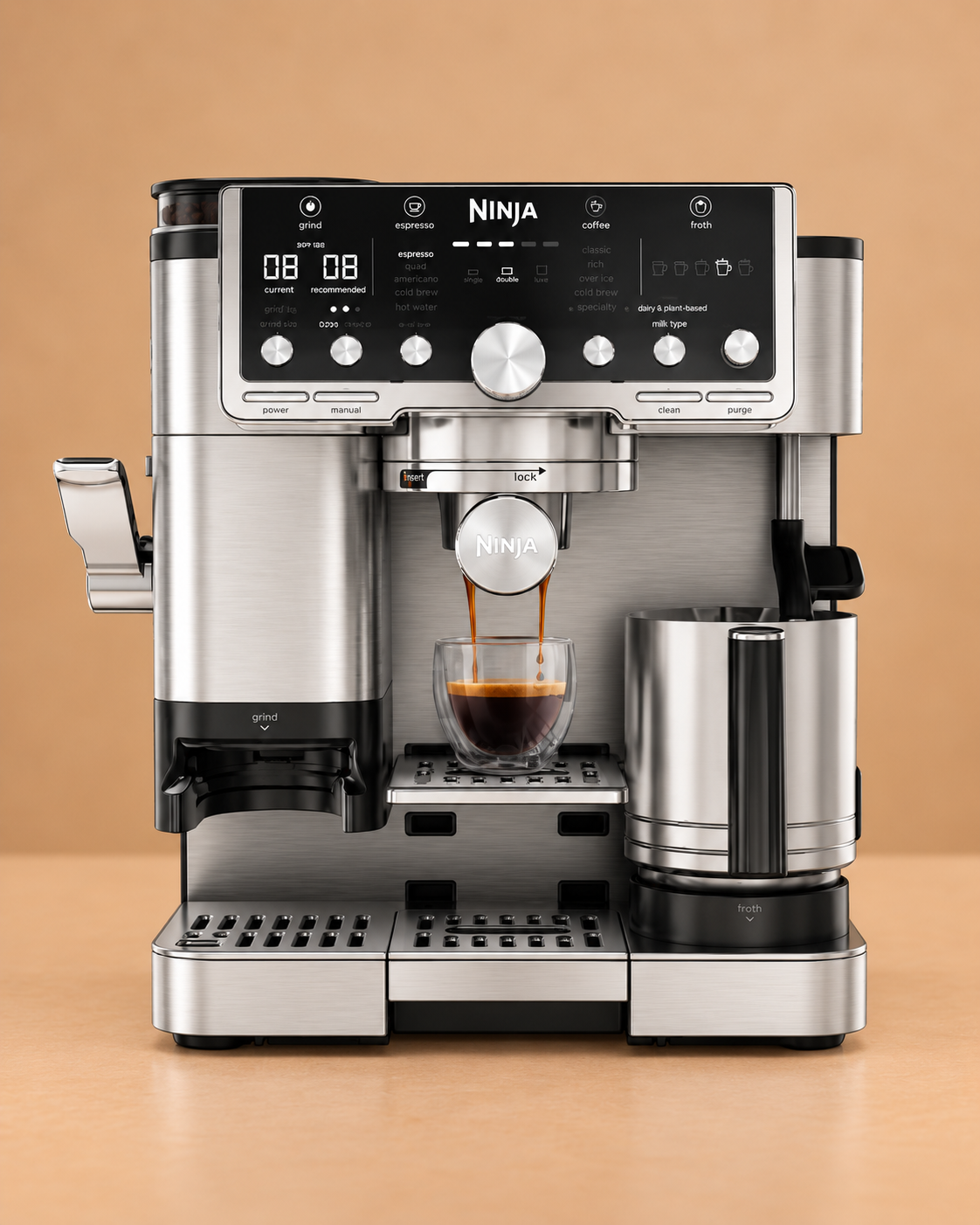
Ninja Luxe Café Pro
The Luxe Café Pro explicitly separates coffee-oil cleaning from mineral-scale removal: CLEAN backflushes the group head with a cleaning disc and tablet, while DESCALE flushes the water and steam paths with descaling solution.
Maintenance schedule
Use the machine’s own prompt sooner whenever it asks for maintenance. Water hardness and usage can also change the practical timing.
Keep this maintenance schedule, reminders, history and available guides with the machine instead of remembering the next job yourself.
Remove grounds and hand-wash the coffee-contact parts.
Wipe milk residue from the wand and clean removable milk-contact parts.
Use the cleaning disc and one tablet. Ninja states the cycle takes about 6 minutes.
Remove the water filter first and run the full programmed descale. Ninja states it takes about 90 minutes.
Replace the fitted filter and track its service interval.
Remove dry coffee residue and keep enough drip-tray capacity for cleaning programmes.
Your machine is already selected. Add local water hardness and typical use without choosing the manufacturer or model again.
Coffee-oil cleaning
Ninja says the CLEAN cycle flushes residual oils and grounds from the group head and shower screen and deposits the cleaning water into the main drip tray.
Start with the tray empty because cleaning water and sediment are discharged into it.
Use fresh water only for the CLEAN programme.
Fit the double basket into the portafilter.
Fit the disc with the handle facing upward.
Place one tablet in the centre of the cleaning disc.
Secure the portafilter into the group head.
Start the programmed cleaning cycle using the Pro controls.
Allow the approximately 6-minute programme to finish fully.
Carefully remove and hand-wash the portafilter and drip tray after the cycle.
If tablet remains on the cleaning disc, repeat the manufacturer cleaning-cycle instructions before brewing again.
Mineral scale care
The Pro quick-start guide tells owners to remove the water filter before descaling and treats DESCALE as a separate approximately 90-minute programme.
The descale programme sends some water into the tray, so start with it empty.
Take the filter out of the reservoir before starting the descale cycle.
Use the correct coffee-machine descaler dose and the fill quantity specified by the ES701UK instructions and product.
Lock in the required basket/portafilter setup and position the collection vessels safely.
Start the programmed descale cycle from the Pro controls.
Allow the approximately 90-minute programme to flush through the coffee and steam paths.
Carefully empty and wash the parts that collected descale solution.
Rinse the reservoir and refill it with clean water.
Complete the fresh-water group-head flush specified by Ninja.
Run the PURGE function with no milk jug installed to clear the steam path.
Incoming water care
The Pro uses a water-filter housing and insert. Keep filtration on schedule and remove the filter before the descale programme.
Lift the used filter insert out of the housing.
Prime the replacement according to its instructions.
Reinstall the housing and filter in the reservoir.
Record the replacement date so filtration remains meaningful.
Milk-system care
The Pro has five hands-free froth presets, but residue still needs to be removed from the wand, jug and whisk after milk use.
Take milk away from the machine once the drink is finished.
Use a clean damp cloth before milk dries onto the wand.
Use the machine purge routine to flush the inside of the wand.
Clean the removable milk-contact parts before the next use.
Dry coffee care
Use dry cleaning around the built-in grinder and do not introduce water into the burr mechanism.
Remove beans before opening user-serviceable grinder parts.
Use the supplied cleaning brush on accessible dry grounds.
Only wash removable parts Ninja explicitly identifies as washable.
Reassemble before adding beans and grinding again.
Ninja documents the Pro CLEAN and DESCALE cycles separately. Use the exact ES701UK booklet if a control label, filter step or fill quantity differs.
Relevant Ventori care
Ninja supplies a cleaning disc and cleaning tablets with the Pro and lists replacement espresso cleaning tablets as an accessory. Ventori Backflush matches that CLEAN-cycle job; Ventori Descaler is for the separate DESCALE programme.